5 AI Prompts for Product Managers: Practical Prompts That Save Real Time
AI is most useful for product managers when it helps with real work: turning messy feedback into insights, drafting documents, prioritizing ideas, and writing updates faster. The best prompts are clear, specific, and structured. They give the model context, define the task, and ask for a usable output format. That matches general prompt-writing guidance from OpenAI, and it also reflects how PM teams use AI in practice for research, documentation, analytics, and workflow support according to Productboard, Atlassian, and Amplitude.
This article gives you 5 of the best prompts for day-to-day product work. They are simple, practical, and easy to adapt.
Quick summary
| # | Use case | What the prompt helps with | Best time to use it |
|---|---|---|---|
| 1 | Find user pain points | Turns raw feedback into themes and product opportunities | After interviews, support tickets, survey responses |
| 2 | Organize large feedback sets | Sorts comments by topic, urgency, and business impact | When you have lots of unstructured feedback |
| 3 | Prioritize roadmap ideas | Compares initiatives and explains trade-offs | Before sprint or quarterly planning |
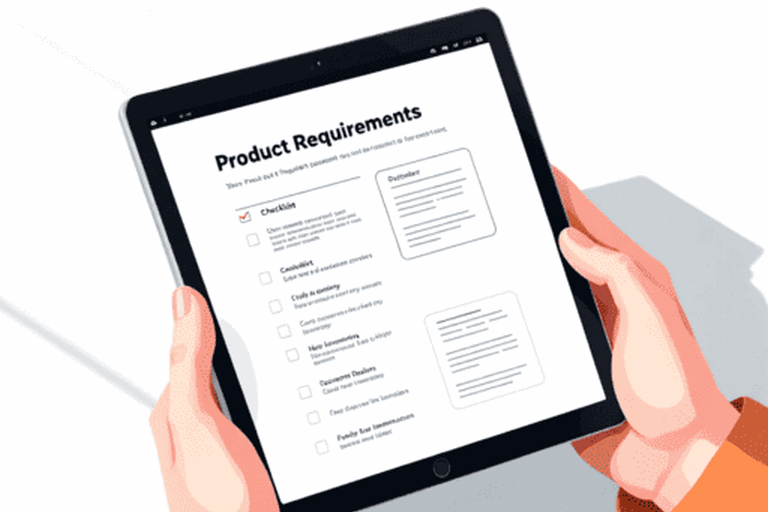
| 4 | Draft a PRD | Creates a clean first draft with clear sections | When an idea is ready to define |
| 5 | Write stakeholder updates | Turns facts into short, clear communication | Before a meeting, email, or Slack update |
What makes a good AI prompt for PMs
A strong prompt usually has four parts: role, context, task, and output format. For example, instead of saying “analyze this,” say: “You are a product analyst. We are a B2B SaaS tool for finance teams. Analyze this feedback and return the top 5 themes in a table with frequency, severity, and suggested actions.” This approach makes the response much more useful and reliable. OpenAI
It also helps to ask the model to work step by step when the task is more complex, such as roadmap prioritization or retention analysis. Product-focused AI guidance from Productboard highlights the value of adding context, assigning a role, and using structured reasoning for harder decisions. Prompt libraries from Amplitude also show that the most useful prompts are tied to real workflows like dashboards, experiments, guides, and analysis.

1) Prompt for finding the biggest user pain points
When to use it: after interviews, support tickets, call notes, or open-ended survey responses.
Prompt:
CopyYou are an experienced product researcher.

Below is a set of user feedback, interview notes, or support tickets.

Your task:
1. Identify the 5 biggest user pain points.
2. Group similar issues into themes.
3. For each theme, show:
   - short name of the problem
   - how often it appears
   - how severe it seems
   - what user goal it blocks
   - 1–2 direct quotes as evidence
4. At the end, suggest 3 product ideas or hypotheses to test.

Context about the product:
[insert 3–5 lines about the product, target users, and main use case]
Data:
[paste feedback, notes, or tickets]
Output format: First return a table. Then give a short summary in 5–7 bullet points in simple language.
Why it works:
This prompt does not ask for a vague “summary.” It asks for themes, severity, evidence, and next-step ideas. That makes the output useful for discovery work and team discussion.
Tip:
If your data set is large, first ask for themes only. Then run a second prompt to generate hypotheses based on those themes.
2) Prompt for sorting and labeling messy feedback
When to use it: when you have a big batch of comments from NPS, app reviews, support tickets, community posts, or CRM notes.
Prompt:
CopyYou are a product analyst.

Analyze the feedback below and classify it.

For each item, identify:
- topic
- sentiment: positive / neutral / negative
- request type: bug / feature request / UX issue / value confusion / pricing / integration / other
- urgency: low / medium / high
- business impact: low / medium / high

Then:
1. Show the top 10 most common themes.
2. Highlight critical issues.
3. Highlight low-frequency but high-upside opportunities.
4. Recommend what should go into:
   - backlog
   - quick UX fixes
   - not now

Context:
[who the users are, what the product does, what market you serve]
Feedback:
[paste data]
Output format: Start with a summary table by theme. Then provide 3 short lists: – Fix now – Test soon – Not a priority Copy
Why it works:
This prompt turns noise into decisions. It helps PMs move from raw comments to action instead of stopping at a generic summary.
Tip:
Add this line if you want more discipline: “Do not invent themes that are not supported by the data. If confidence is low, say so clearly.”
3) Prompt for roadmap prioritization
When to use it: before sprint planning, quarterly planning, or a roadmap review.
Prompt:
CopyYou are a senior product manager.

Help me prioritize the following initiatives for the next planning cycle.

Business context:
[company goals, product stage, market, constraints]
Main goal for this period:
[for example: improve activation, reduce churn, increase conversion to paid]
Initiatives:
[paste list]
For each initiative, assess: – problem it solves – target segment – likely impact on the goal – confidence level – effort/complexity – dependencies and risks Then: 1. Rank the initiatives by priority. 2. Explain your reasoning step by step. 3. Show which items should be: – do now – do later – drop 4. If information is missing, say what is missing. Output format: Return a table with these columns: Initiative | Impact | Confidence | Effort | Risk | Recommendation After the table, include: – top 3 to do now – top 3 to do later – what to drop and why Copy
Why it works:
It forces the model to show its logic instead of giving a random ranking. That is especially important for roadmap conversations where trade-offs matter. Structured, step-by-step prompting is a strong fit for PM decision-making. Productboard OpenAI
Tip:
If your team uses RICE, ICE, or another framework, add it directly to the prompt so the output matches your working style.
4) Prompt for drafting a PRD
When to use it: when the idea is clear enough to define, but the document is still blank.
Prompt:
CopyYou are a product manager who writes clear and useful PRDs.

Help me draft a PRD.

Product context:
[what the product is]
Problem:
[what is not working today]
Goal:
[what outcome we want]
Target users:
[who this is for]
Solution idea:
[short description]
Constraints:
[timeline, team size, technical limitations, dependencies]
Build a PRD with these sections: 1. Problem 2. Goal and success metrics 3. User scenarios 4. Scope / out of scope 5. Key requirements 6. Risks and open questions 7. What is needed from design, engineering, and analytics Write in simple, direct language. Do not invent missing details. If something is unclear, mark it as “needs clarification.” Copy
Why it works:
AI is very good at producing a first draft when you provide structure. For PMs, that is useful because it removes blank-page friction and speeds up cross-functional alignment. Drafting product documents is one of the clearest practical use cases mentioned in Productboard and Atlassian.
Tip:
After you get the draft, run a second prompt: “Reduce this PRD by 30%, remove repetition, and keep only what matters for engineering and design.”
5) Prompt for writing a stakeholder update
When to use it: before sending a project update in Slack, email, or a deck.
Prompt:
CopyYou are a product manager.

Help me write a clear stakeholder update.

Context:
[project name, goal, current stage]
Facts:
[what was completed]
[what did not go as planned]
[current risks]
[next steps] Task: Write a short update for leaders and cross-functional stakeholders. Structure: 1. What happened 2. What it means for the business or user 3. Risks 4. Next steps 5. Where a decision or support is needed Requirements: – calm and professional tone – no fluff – no defensive language – max 200 words Create 2 versions: 1. Slack update 2. Email or deck version Copy
Why it works:
PMs spend a lot of time explaining progress and decisions. This prompt helps turn scattered notes into clean communication quickly.
Tip:
If you expect pushback, add: “Also list the 3 most likely questions or objections stakeholders may raise.”
A simple template you can reuse for almost any PM task
If you do not want to write prompts from scratch each time, use this format:
CopyYou are [role].

Context:
[product, users, goal, constraints]
Task:
[what you want the AI to do]
Requirements:
[important rules, framework, tone, level of detail]
Output format:
[table / list / memo / PRD / email]
If information is missing, do not guess. Say what needs clarification.
Why AI Prompts Matter for Product Managers
Save Time
Reduce documentation time from hours to minutes. Focus on strategic decisions instead of formatting documents.
Reduce documentation time from hours to minutes. Focus on strategic decisions instead of formatting documents.
Consistency
Ensure every spec and roadmap follows the same structure. No more hunting through old files for the right format.
Ensure every spec and roadmap follows the same structure. No more hunting through old files for the right format.
Better Thinking
Get AI to challenge your assumptions. Generate alternative approaches you might not have considered.
Get AI to challenge your assumptions. Generate alternative approaches you might not have considered.
Product managers juggle dozens of tasks daily. AI prompts aren’t about replacing your judgment—they’re about amplifying your effectiveness. Use these templates to handle the repetitive work, then spend your energy on what matters: understanding users, making trade-offs, and driving product strategy.
Final takeaway
The best AI prompts for product managers are not clever. They are clear. They tell the model what role to take, what context matters, what job to do, and what format to return. That is what makes AI useful in real PM work: faster synthesis, faster writing, better structure, and less time wasted on first drafts. This is consistent with prompt best practices from OpenAI and with real PM workflows described by Productboard, Atlassian, and Amplitude.