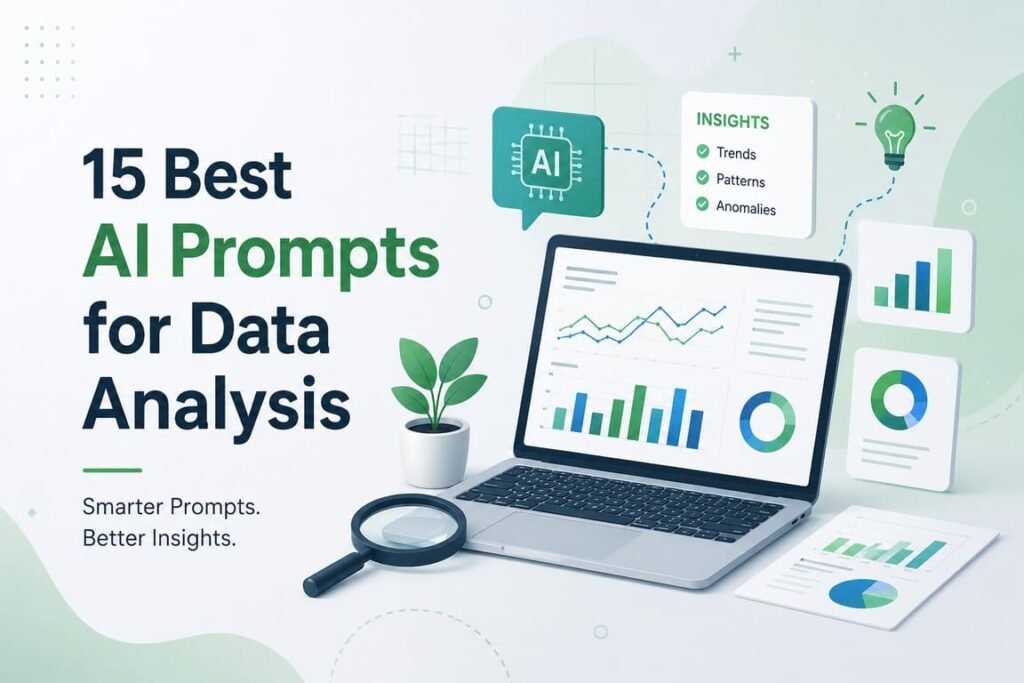
AI Prompts for Data Analysis: 15 Professional Prompts That Actually Help You Work Faster
AI can save time in data analysis, but only if you ask it the right way. A weak prompt gives you generic advice. A strong prompt gives you a useful answer, a clean structure, and a result you can review fast.
This guide is practical. You will get 15 professional prompts for real data work, simple explanations of why they work, and realistic example AI responses for each one. I will also give you a rating system, two tables, a statistics section, a text infographic, and an FAQ.
To keep the examples concrete, all sample outputs below use the same fictional ecommerce dataset with these columns:
date, customer_id, region, channel, sessions, orders, revenue, ad_spend, discount_pct, product_category, refund_flag
Why AI prompts matter in data analysis
AI use is no longer niche. In 2024, 78% of organizations reported using AI, up from 55% the year before. Also, 80% of companies said efficiency was an objective of their AI initiatives, and 64% said AI was enabling innovation. That is exactly why better prompts matter: they help turn AI from a toy into a work tool.
Statistics you should know
- 78% of organizations reported using AI in 2024, up from 55% in 2023.
- Generative AI attracted $33.9 billion globally in private investment in 2024, an 18.7% increase from 2025.
- In a November 2025 survey, workers using generative AI reported average time savings of 5.4% of work hours, or about 2.2 hours per week for a 40-hour worker.
- The same St. Louis Fed analysis estimated a 1.1% increase in aggregate productivity, and suggested workers were 33% more productive during the hours when they used generative AI.
- McKinsey estimates generative AI could add $2.6 trillion to $4.4 trillion annually across 63 use cases, and could support 0.1% to 0.6% annual labor productivity growth through 2040.
The rating system
I will rate each prompt with a Prompt Power Score (PPS) out of 5.
| Score | Meaning | When to use it |
|---|---|---|
| 5.0 | Excellent | Ready for live business work with minimal edits |
| 4.5–4.9 | Strong | Very useful, reliable, and repeatable |
| 4.0–4.4 | Good | Helpful, but may need more context |
| 3.5–3.9 | Fair | Works in narrow cases only |
| Below 3.5 | Weak | Too vague for professional analysis |
How I score prompts: clarity, context, output structure, business value, and how easy they are to reuse.
Text infographic: how to build a strong data-analysis prompt
GOOD AI DATA PROMPT
│
├── 1) ROLE
│   "Act as a senior data analyst"
│
├── 2) CONTEXT
│   "This is ecommerce performance data from Q1"
│
├── 3) TASK
│   "Find trends, anomalies, and likely causes"
│
├── 4) RULES
│   "Do not guess; flag uncertainty; show calculations"
│
├── 5) OUTPUT FORMAT
│   "Return a table + 5 bullet insights + 3 actions"
│
└── 6) DECISION SUPPORT
    "Rank findings by business impact"
7 rules for writing better AI prompts for analysis
- Give the AI a role
Example: “Act as a senior product analyst.” - Say what the data is about
Example: “This is weekly ecommerce funnel data.” - Name the exact task
Example: “Find the drop in conversion rate.” - Set quality rules
Example: “Do not invent numbers. Flag missing context.” - Ask for a format
Example: “Return a table, then 5 bullet points.” - Ask for business meaning, not just math
Example: “Explain what this means for revenue.” - Ask for next actions
Example: “End with 3 recommendations.”
Quick prompt picker
| # | Prompt name | Best for | Main output |
|---|---|---|---|
| 1 | 60-Second Dataset Scan | Fast orientation | High-level summary |
| 2 | Data Quality Audit | Cleaning data | Error and risk list |
| 3 | Exploratory Analysis Plan | Starting analysis | Step-by-step plan |
| 4 | Missing Values Strategy | Imputation choices | Treatment options |
| 5 | Outlier Review | Suspicious numbers | Outlier table + causes |
| 6 | SQL Builder | Business questions | SQL query |
| 7 | KPI Summary | Weekly/monthly reporting | Executive summary |
| 8 | Trend and Seasonality Review | Time-series analysis | Patterns and shifts |
| 9 | Cohort Retention Analysis | Customer behavior | Retention insights |
| 10 | Customer Segmentation | Marketing/product | Segment profiles |
| 11 | Anomaly Detection | Monitoring | Issue list |
| 12 | Hypothesis Test Assistant | Validation | Test choice + interpretation |
| 13 | Model Interpretation | ML explainability | Feature impact summary |
| 14 | Root Cause Analysis | Performance drops | Likely drivers |
| 15 | Executive Memo Generator | Stakeholder communication | Plain-English narrative |
The 15 best professional prompts for data analysis
1) The 60-Second Dataset Scan
Prompt
“Act as a senior data analyst. Review this dataset and give me a 60-second overview. Tell me:
- what each column likely means,
- the likely business goal of the dataset,
- 5 important questions this data can answer,
- 3 risks or limitations,
- the first 3 analyses you would run.
Use simple language and return the answer in bullet points.”
Why this prompt works
It gives the AI a role, a clear task, a numbered output, and a limit on style. That usually reduces rambling and gives you a fast map of the dataset.
Example AI response
- Likely purpose: Track ecommerce acquisition, conversion, and revenue by date, region, and channel.
- Key business questions:
- Which channels drive the most revenue?
- Which regions convert best?
- Does discounting improve orders enough to justify margin loss?
- Which product categories have the highest refund rate?
- Are there performance changes over time?
- Risks:
- Refunds may be counted separately from revenue timing.
- Sessions may not equal unique visitors.
- Discount percentage may vary inside categories and hide item-level effects.
- First analyses: funnel by channel, trend by week, refund rate by category.
PPS: 4.8/5
2) The Data Quality Audit Prompt
Prompt
“Act as a data quality analyst. Audit this dataset for common quality issues: missing values, duplicates, impossible values, inconsistent categories, date problems, and suspicious metric relationships. Return:
- a table of issues,
- severity level (low/medium/high),
- why each issue matters,
- the best fix for each issue.”
Why this prompt works
Most bad analysis starts with bad data. This prompt tells the AI exactly what to check and how to report it.
Example AI response
| Issue | Severity | Why it matters | Recommended fix |
|---|---|---|---|
discount_pct above 100 in 14 rows | High | Impossible value; breaks margin analysis | Cap or correct from source |
Missing channel in 3.2% of rows | Medium | Weakens attribution analysis | Backfill from session source if possible |
Duplicate customer_id + date + order value patterns | Medium | May double count orders | Validate transaction IDs |
refund_flag = 1 with orders = 0 | High | Logical mismatch | Check refund timing logic |
| Region labels “US-East” and “East US” | Low | Splits category counts | Standardize labels |
PPS: 5.0/5
3) The Exploratory Analysis Plan Prompt
Prompt
“You are a senior analytics consultant. Build a practical exploratory data analysis plan for this dataset. Prioritize analyses that can affect revenue, conversion, cost, retention, or refunds. Return:
- analysis steps in order,
- why each step matters,
- charts to build,
- possible business decisions from each step.”
Why this prompt works
It shifts the AI from “describe data” to “plan useful work.” That is important in real business settings.
Example AI response
- Channel performance review
- Why: channels control acquisition cost and revenue quality.
- Charts: revenue by channel, conversion rate by channel.
- Decision: move spend from low-ROAS channels to strong ones.
- Regional conversion review
- Why: regions may behave differently.
- Charts: orders/session by region.
- Decision: localize campaigns or pricing.
- Discount impact review
- Why: discounts may raise orders but hurt net revenue.
- Charts: discount vs conversion, discount vs refund rate.
- Decision: change promo policy.
- Category refund review
- Why: refunds reduce real value.
- Charts: refund rate by product category.
- Decision: fix product quality or listing clarity.
PPS: 4.7/5
4) The Missing Values Strategy Prompt
Prompt
“Review the missing values in this dataset and recommend the best treatment for each affected column. For each column, explain whether I should drop rows, impute values, create a missing-value flag, or leave the data untouched. Do not give generic advice; base the recommendation on likely business impact.”
Why this prompt works
It asks for decisions, not just detection. It also tells the AI to avoid generic textbook replies.
Example AI response
channelmissing: create an “Unknown” category first; do not drop rows because attribution gaps may still contain revenue.ad_spendmissing: do not impute with zero unless confirmed; zero spend and missing spend mean different things.discount_pctmissing: if missing means “no discount,” fill with 0 only after verifying business rules.regionmissing: create a missing flag and test whether missing rows behave differently.
PPS: 4.7/5
5) The Outlier Review Prompt
Prompt
“Find likely outliers in this dataset and separate them into two groups:
- probable data errors,
- rare but real business events.
For each outlier, explain why it stands out, what rule you used, and what I should do next.”
Why this prompt works
This prompt is better than “find outliers” because it asks the AI to distinguish errors from genuine events. That matters a lot in operations and finance data.
Example AI response
- Probable data errors
discount_pct = 250on 2026-01-14: exceeds logical bounds. Review source mapping.orders = -3: likely entry or ETL issue.
- Rare but real events
- Revenue spike on Black Friday: sessions up 4.9x, orders up 5.2x, ad spend up 3.1x. Keep this row; analyze separately.
- Next step: validate impossible values, then re-run trend analysis with and without confirmed anomalies.
PPS: 4.8/5
6) The SQL Builder Prompt
Prompt
“Act as a senior SQL analyst. Write a SQL query that answers this question: ‘Which marketing channels generated the highest revenue per session in the last 12 weeks, and how did that compare with refund rate?’ Assume the table is called ecommerce_performance. Return:
- the SQL query,
- a short explanation of the logic,
- any assumptions.”
Why this prompt works
It gives the AI the business question, the table name, and the expected output format. That cuts down on messy or incomplete SQL.
Example AI response
SELECT
  channel,
  SUM(revenue) AS total_revenue,
  SUM(sessions) AS total_sessions,
  SUM(revenue) / NULLIF(SUM(sessions), 0) AS revenue_per_session,
  AVG(CASE WHEN refund_flag = 1 THEN 1.0 ELSE 0.0 END) AS refund_rate
FROM ecommerce_performance
WHERE date >= CURRENT_DATE - INTERVAL '12 weeks'
GROUP BY channel
ORDER BY revenue_per_session DESC;
Short explanation:
This query aggregates revenue and sessions by channel over the last 12 weeks, calculates revenue per session, and estimates refund rate as the average refund flag.
Assumptions:
- One row is one order/session summary record.
refund_flagis binary.- SQL dialect supports interval syntax.
PPS: 4.9/5
7) The KPI Summary Prompt
Prompt
“Summarize this dataset for a weekly business review. Focus on 6 KPIs: sessions, orders, conversion rate, revenue, ad spend, and refund rate. Tell me what went up, what went down, what matters most, and what I should watch next week. Use plain English for non-technical managers.”
Why this prompt works
It forces the AI to talk like a business partner, not a textbook. It is excellent for recurring reports.
Example AI response
- Sessions: up 12% week over week, mainly from paid social.
- Orders: up 6%, so traffic grew faster than demand.
- Conversion rate: down from 3.4% to 3.2%, which suggests traffic quality weakened.
- Revenue: up 4%, helped by volume, but slower than session growth.
- Ad spend: up 18%, so efficiency declined.
- Refund rate: stable at 4.1%.
- Main takeaway: growth came from more traffic, not better conversion.
- Watch next week: paid social efficiency and landing-page conversion.
PPS: 4.8/5
8) The Trend and Seasonality Prompt
Prompt
“Analyze this time-series data for trends, seasonality, sudden shifts, and possible external-event effects. Explain what patterns look structural versus temporary. Return the answer in four sections: trend, seasonality, anomalies, business implications.”
Why this prompt works
It gives the AI a strong framework. Time-series analysis gets messy fast, so structure helps.
Example AI response
- Trend: Revenue has grown gradually over the last 10 weeks, but the slope flattened in the most recent 2 weeks.
- Seasonality: Weekend sessions are lower, but weekend conversion rate is slightly higher.
- Anomalies: A sharp spike on Friday suggests a campaign or promotion.
- Business implications: Growth is still positive, but recent flattening may mean acquisition is reaching a short-term ceiling.
PPS: 4.8/5
9) The Cohort Retention Prompt
Prompt
“Perform a cohort-style retention review using customer first-purchase month. Explain which cohorts retain best, where retention drops fastest, and what the likely reasons are. Return:
- top 3 insights,
- a simple retention story,
- 3 actions to test.”
Why this prompt works
It asks for insight, not just a retention table. That makes the output more useful for product and CRM teams.
Example AI response
- Top insights:
- January cohorts retain better than March cohorts.
- Retention drop is steepest between month 1 and month 2.
- Discount-led cohorts come back less often than full-price cohorts.
- Simple retention story: acquisition is working, but many first-time buyers do not form a repeat habit.
- Actions to test:
- send post-purchase education by category,
- create a second-order incentive,
- segment remarketing by first product type.
PPS: 4.8/5
10) The Customer Segmentation Prompt
Prompt
“Segment these customers into practical business groups using behavior, value, and purchase frequency. Do not create abstract clusters only. Name each segment in plain English, describe it, estimate its value, and suggest one action per segment.”
Why this prompt works
A lot of AI-generated segmentation is too academic. This prompt pushes toward useful business segments.
Example AI response
- High-value loyal buyers
- Frequent purchases, low refund rate, high revenue contribution.
- Action: early access and premium bundles.
- Discount-driven opportunists
- Buy during promotions, weak repeat behavior.
- Action: limit blanket discounts; use targeted offers.
- New one-time buyers
- Large volume, low retention.
- Action: second-order nurture campaign.
- High-refund risk buyers
- Decent order volume but weak net value.
- Action: improve product education and return-policy messaging.
PPS: 4.7/5
11) The Anomaly Detection Prompt
Prompt
“Identify anomalies in revenue, conversion rate, ad spend, and refund rate. Rank them by likely business impact. For each anomaly, suggest the top 2 likely causes and the first check I should run in the data.”
Why this prompt works
It turns anomaly detection into a triage tool. That is exactly what analysts need in live monitoring.
Example AI response
- High impact: ad spend up 32% on paid social while revenue rose only 5%
- Likely causes: weaker targeting, rising CPC
- First check: campaign-level spend and CTR
- Medium impact: refund rate doubled in electronics
- Likely causes: product defect, misleading listing
- First check: SKU-level refund concentration
- Medium impact: conversion rate fell sharply in West region
- Likely causes: site issue, low-intent traffic
- First check: device split and landing page by region
PPS: 4.9/5
12) The Hypothesis Test Assistant Prompt
Prompt
“I want to test whether a higher discount rate improves conversion without hurting net revenue. Recommend the right statistical test, explain why, list assumptions, and show me how to interpret possible outcomes in plain English.”
Why this prompt works
It does not just ask for math. It asks for method selection, assumptions, and interpretation.
Example AI response
- Recommended approach:
- Compare conversion rates with a proportion test or logistic regression.
- Compare net revenue with a t-test or regression, depending on design.
- Why: conversion is a rate, while revenue is continuous.
- Key assumptions: enough sample size, clear control/treatment split, no major selection bias.
- Plain-English interpretation: if conversion goes up but net revenue does not, the discount may be buying low-quality demand rather than profitable growth.
PPS: 4.7/5
13) The Model Interpretation Prompt
Prompt
“Explain this predictive model to a business audience. Focus on the most important features, the direction of their effect, possible risks of misinterpretation, and what decisions the model should and should not support.”
Why this prompt works
Many AI prompts explain models in technical terms only. This one asks for business translation and risk control.
Example AI response
- Top drivers: repeat purchase history, recent sessions, and discount exposure.
- Interpretation: customers with recent activity are more likely to purchase again, while heavy discount dependence may signal weaker long-term value.
- Caution: feature importance is not the same as causation.
- Good use: prioritizing retention outreach.
- Bad use: making irreversible pricing decisions from the model alone.
PPS: 4.8/5
14) The Root Cause Analysis Prompt
Prompt
“Revenue fell 11% last month. Use the dataset to identify the most likely drivers. Break the problem into traffic, conversion, average order value, refunds, region, channel, and product category. Rank the drivers by likely contribution and tell me what evidence would confirm each one.”
Why this prompt works
This is one of the best prompts for real work because it gives the AI a business problem and a decomposition framework.
Example AI response
- Most likely driver #1: conversion decline in paid social
- Evidence: sessions up, orders flat, spend higher.
- Confirmation: landing-page and campaign-level CVR.
- Driver #2: higher refund rate in electronics
- Evidence: gross revenue stable, net value weaker.
- Confirmation: SKU and defect codes.
- Driver #3: lower average order value in East region
- Evidence: orders stable but revenue down.
- Confirmation: product mix and discount depth.
PPS: 5.0/5
15) The Executive Memo Prompt
Prompt
“Turn this analysis into a short executive memo. Use plain English. Start with the main business message, then 3 supporting findings, then 3 recommended actions. Avoid technical jargon, avoid formulas, and keep it under 180 words.”
Why this prompt works
Analysts often do the analysis but fail in communication. This prompt fixes that.
Example AI response
Main message: Revenue growth slowed because traffic increased faster than conversion, and paid acquisition became less efficient.
Supporting findings:
- Sessions grew strongly, but conversion rate fell.
- Ad spend increased faster than revenue.
- Refund pressure rose in one product category, reducing net value.
Recommended actions:
- Audit paid social targeting and landing pages.
- Review discount policy by channel, not globally.
- Investigate refund causes in electronics and fix the highest-return SKUs first.
PPS: 4.9/5
Best prompts by situation
If you only save a few prompts, save these:
- For new data: Prompt 1 and Prompt 2
- For business reporting: Prompt 7 and Prompt 15
- For problem solving: Prompt 11 and Prompt 14
- For customer analysis: Prompt 9 and Prompt 10
- For model and testing work: Prompt 12 and Prompt 13
Common mistakes to avoid
- Asking AI to “analyze this data” with no context
- Forgetting to define the business goal
- Not asking for output format
- Letting the AI guess missing facts
- Using AI results without checking logic, filters, and assumptions
- Mixing gross revenue and net revenue without saying which matters
FAQ
1) What makes a data-analysis prompt “professional”?
A professional prompt has five parts: role, context, task, rules, and output format. It also asks for business meaning, not just numbers.
2) Should I ask AI for conclusions or for steps?
Both. First ask for structure or diagnosis, then ask for conclusions and actions. That usually gives better quality than one vague request.
3) Can these prompts work in ChatGPT, Claude, Gemini, or Copilot?
Yes. The wording may need small adjustments, but the structure works across most strong AI tools.
4) Should I paste raw data into the prompt?
Only if the dataset is small and non-sensitive. For larger datasets, share a sample, schema, or summary first.
5) Can AI replace a data analyst?
No. AI speeds up pattern finding, drafting, and summarizing, but a human still needs to check data quality, assumptions, and business context.
6) Which prompt is the best overall?
For broad usefulness, Prompt 14 (Root Cause Analysis) is the strongest. It is practical, focused, and directly tied to business action.
7) Which prompts help most with reporting to leadership?
Use Prompt 7 (KPI Summary) and Prompt 15 (Executive Memo) together.
Final takeaway
The best AI prompts for data analysis are not clever. They are clear.
If you give AI a role, context, a defined task, quality rules, and a required output format, the answers get much better. Start with dataset scan, quality audit, KPI summary, anomaly detection, and root cause analysis. Those five alone can save hours every week.
And one last point: AI works best when you treat it like a junior analyst with fast hands, not an oracle with perfect judgment.